
VoiBackup
Set-and-forget backups for your PC. Pick your folders and a destination, choose full, incremental, or mirror, and VoiBackup keeps safe, versioned copies — encrypted and verified.
Free · Version 1.19 · Windows 10 & 11
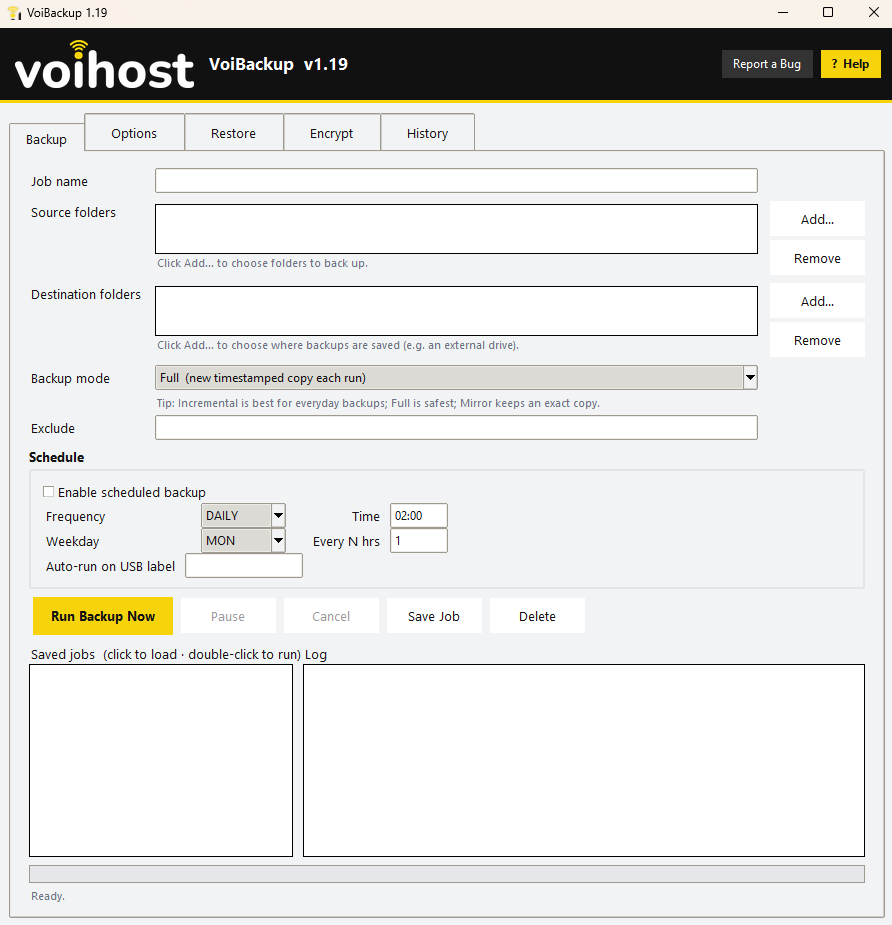
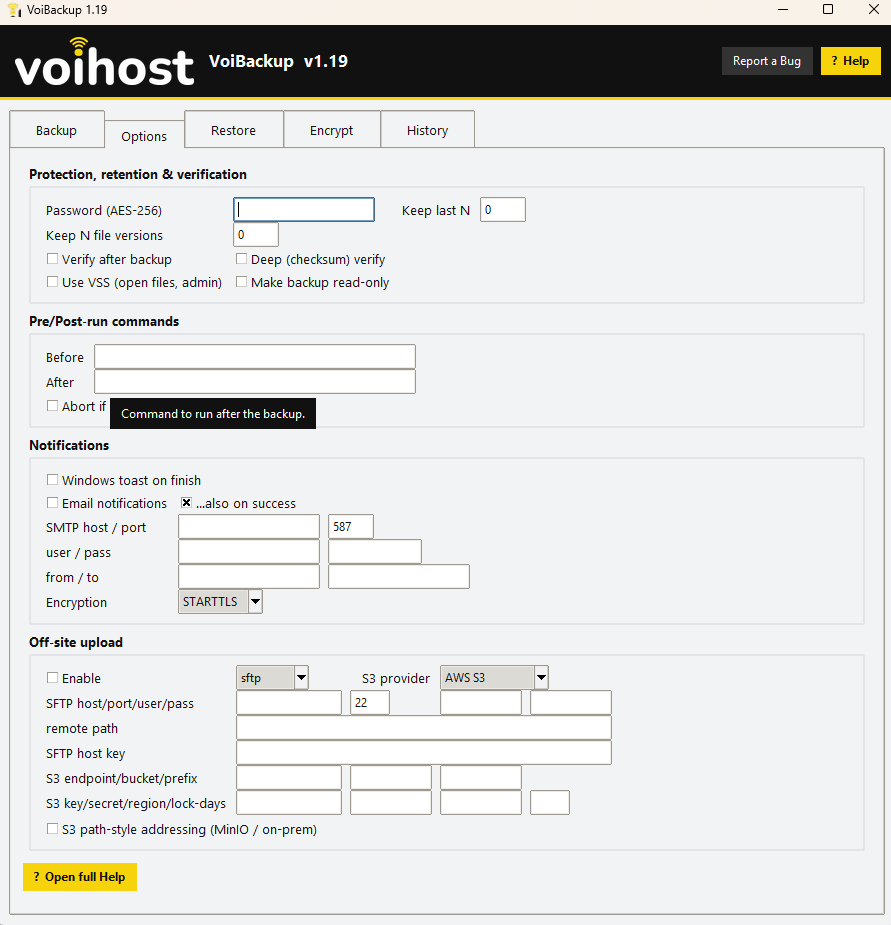
See VoiBackup in action
A quick look at the app running on Windows.
What it does
The essentials VoiBackup handles for you — all free.
Full, incremental & mirror
Choose full timestamped copies, space-saving incrementals, or an exact mirror — whatever fits the job.
Scheduled & USB auto-run
Run on a daily or hourly schedule, or automatically the moment a specific USB drive is plugged in.
AES-256 encryption
Password-protect your backups with AES-256, so a lost or stolen drive never means lost data.
Off-site to SFTP or S3
Push a copy off-site to an SFTP server or S3-compatible storage — AWS, MinIO, or your own on-prem box.
Versioning & verify
Keep multiple versions and confirm every backup with a checksum, so a restore always works when you need it.
One-click restore
Browse history and bring back a single file or a whole job in a couple of clicks.
What you’ll need
Voihost software is lightweight and runs comfortably on everyday Windows PCs.
- Operating system
- Windows 10 & 11
- Destinations
- External/network drive, SFTP, or S3-compatible storage
- Encryption
- AES-256 (optional password)
- Open-file backups
- Admin rights (uses Windows VSS)
How to install
From download to running takes about a minute — here’s all there is to it.
Download the installer
Click “Download for Windows” to grab the latest installer, hosted by Voihost. There’s nothing to sign up for.
Run the setup
Open the downloaded file and follow the short setup wizard. Windows may ask you to confirm — that’s expected for a fresh install.
Open and go
Launch the app from your Start menu and you’re ready. No account, no license key, no trial countdown.
VoiBackup questions
The practical details before you download.
Download VoiBackup free
No account, no license, no catch — just a handy Windows tool from the Voihost team.